> ## Documentation Index
> Fetch the complete documentation index at: https://docs.exec.com/llms.txt
> Use this file to discover all available pages before exploring further.
# Review Scored Calls
> Track call performance across your team and dig into any individual scored call
Once calls are importing and scoring, the **Calls** area gives you two views: a **Dashboard** for team and org performance, and **Call History** for individual scored calls.
## The Calls Dashboard
From **Calls > Dashboard**, click into any category to see how your team and org are doing on that conversation type over a time range. You'll see overall scores (for example, trending around high silver, with the occasional bronze week) plus the data captured by each **attribute**, so you can spot patterns, for example which **objections raised** are most common on sales calls, or how many onboarding versus QBR calls you're running.
Filter the dashboard by **groups**, **people**, and **relevant skills**, and adjust the **timeline** to focus on a specific team or period.
## Call History and a scored call
**Call History** lists every scored call, with filters and a **Download Report** (you can customize the columns). The [Call Analyst](/calls/call-analyst) assistant lets you filter the table and search transcripts in plain English.
Open any call to review it. A scored call has three tabs:
* **Dashboard** - a **Call Summary** of what happened and the purpose of the conversation, the participants, and the captured attributes, plus a scorecard summary
* **Recording** - the recording alongside the full transcript
* **Scorecard** - the same scorecard you built in the category settings, graded for this call. Each criterion shows its grade with reasons it scored well, and for anything less than Good, where it missed and how to improve
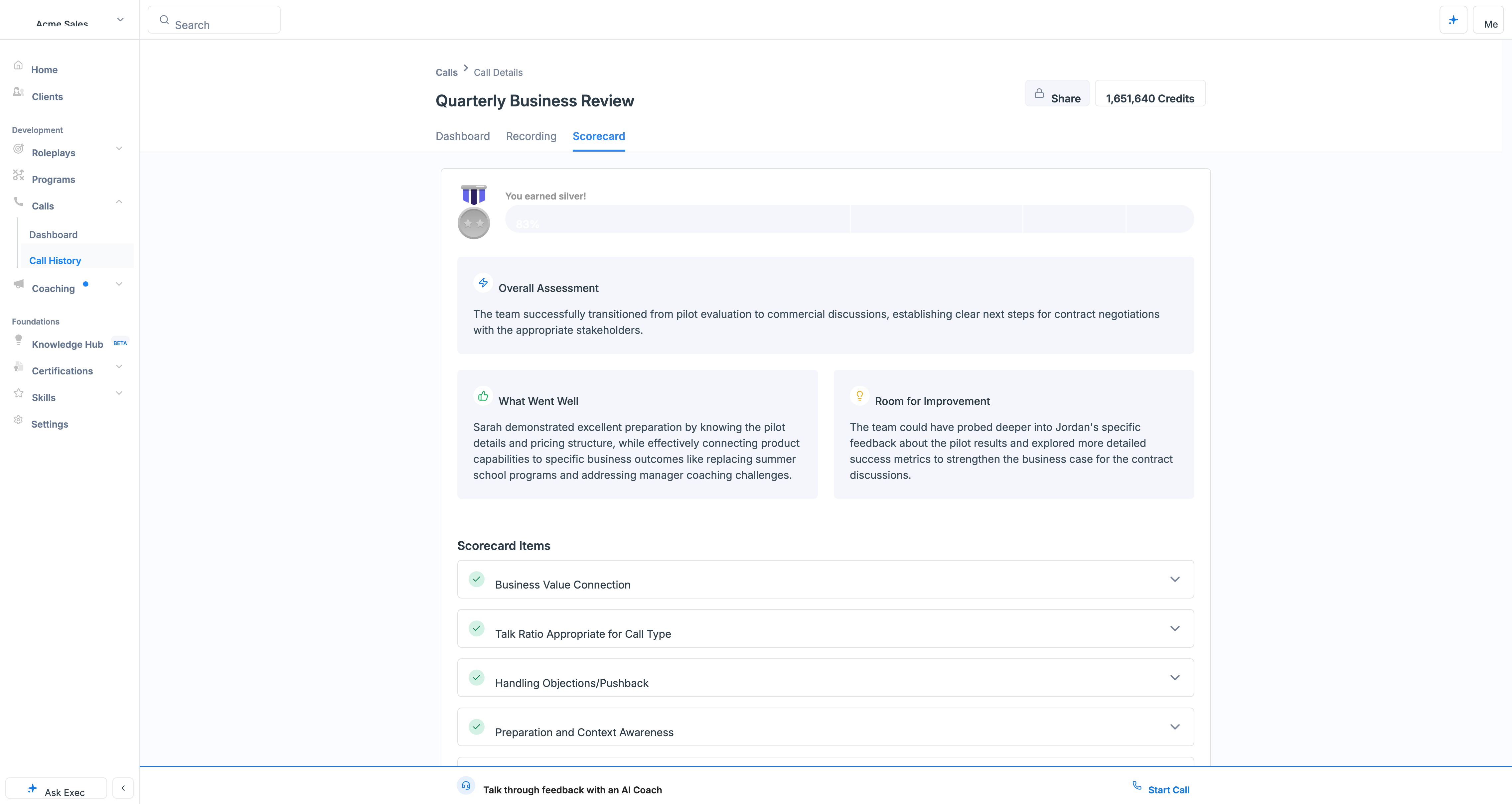 You can also **chat with the AI agent** about the call to talk through how it went and where to improve. Because call criteria can be tied to [skills](/skills/overview), this performance feeds the same skill analytics as roleplays, see [Analyze Skill Performance](/skills/analyze-performance#skill-performance-in-call-analytics).
## Getting Help
**Need help?** Contact us at [hello@exec.com](mailto:hello@exec.com) for guidance on reviewing call scores and reports.
You can also **chat with the AI agent** about the call to talk through how it went and where to improve. Because call criteria can be tied to [skills](/skills/overview), this performance feeds the same skill analytics as roleplays, see [Analyze Skill Performance](/skills/analyze-performance#skill-performance-in-call-analytics).
## Getting Help
**Need help?** Contact us at [hello@exec.com](mailto:hello@exec.com) for guidance on reviewing call scores and reports.