> ## Documentation Index
> Fetch the complete documentation index at: https://docs.exec.com/llms.txt
> Use this file to discover all available pages before exploring further.
# Use the AI Coach
> Gain additional insight & feedback on your roleplay session
Completing a roleplay is only the first step. The real value comes from reviewing your performance and practicing how to improve. The AI Coach lets you go beyond reading static feedback — you can ask questions, request examples, and re-practice specific moments as if you had a live coach by your side.
***
## Opening the AI Coach
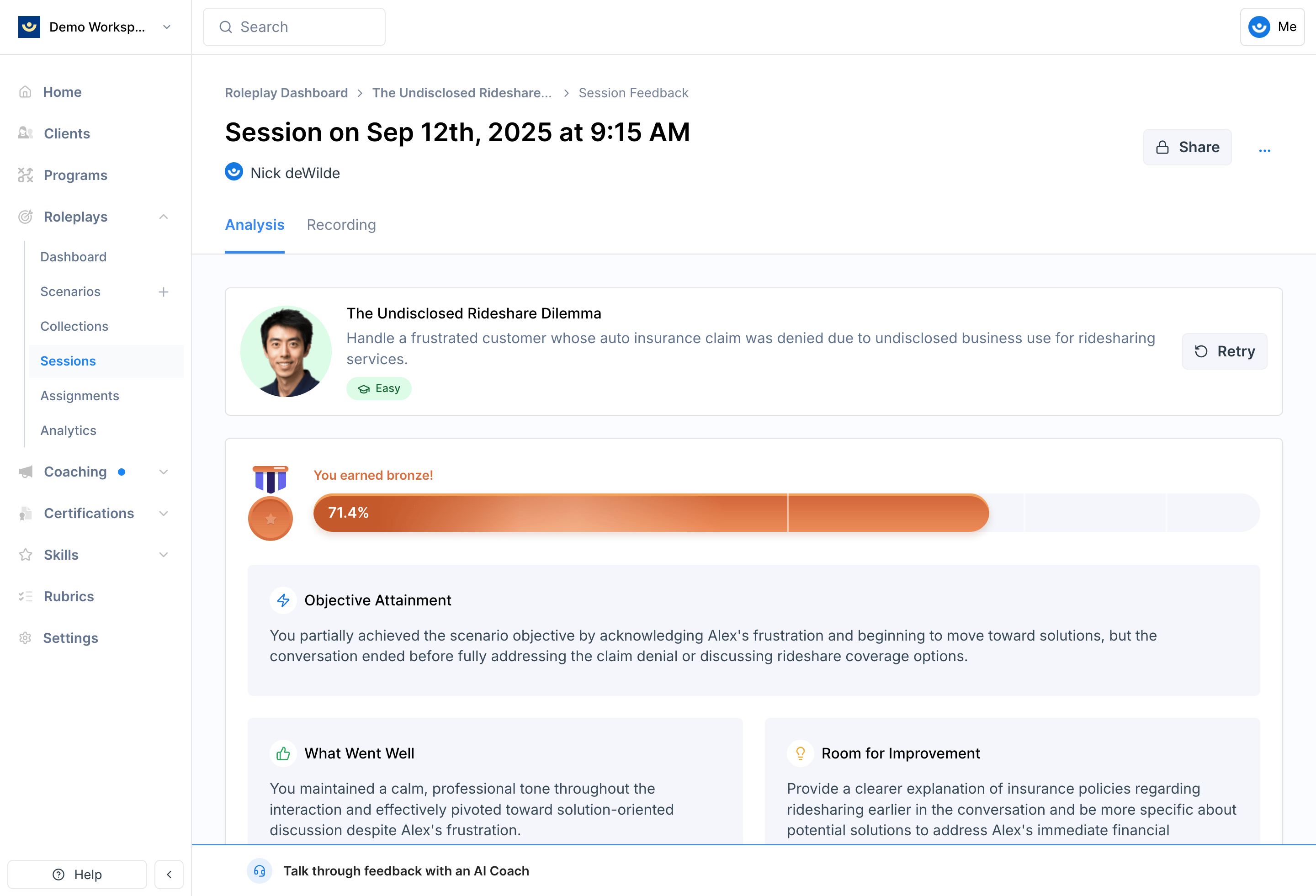
At the bottom of your feedback screen, you'll see a bar labeled **Talk through feedback with your AI Coach**. Click it to open a live chat session.
 ***
## What You Can Do
Ask the AI Coach for a high-level summary of how you did before diving into specifics.
**Example:** "Could you give me a high-level summary of my feedback?"
If you scored low on something or want to understand the feedback better, ask directly.
**Example:** "How could I have handled that objection more effectively?"
If you think you already demonstrated a behavior but didn't get credit for it, ask the AI Coach to clarify based on your transcript.
**Example:** "Didn't I already offer options in my conversation?"
Ask the AI Coach to step into the character's role so you can practice a particular part of the conversation again.
**Example:** "Can you be the character and let me practice how I'd handle that objection?"
***
## Tips for Getting the Most Out of It
**Focus on one thing at a time.** A targeted question like "how could I have better handled the budget objection?" will get you more useful coaching than "how did I do overall?"
* **While the session is fresh.** The sooner you debrief, the easier it is to connect feedback to what you remember doing.
* **Keep it short.** A focused 5–10 minute debrief is often more effective than trying to cover everything at once.
* **Make it a habit.** Use the AI Coach after every session. Over time, you'll start to see patterns in your strengths and the areas that need the most work.
***
## Getting Help
**Need help?** Contact us at [hello@exec.com](mailto:hello@exec.com) for any questions about the AI Coach or your roleplay feedback.
***
## What You Can Do
Ask the AI Coach for a high-level summary of how you did before diving into specifics.
**Example:** "Could you give me a high-level summary of my feedback?"
If you scored low on something or want to understand the feedback better, ask directly.
**Example:** "How could I have handled that objection more effectively?"
If you think you already demonstrated a behavior but didn't get credit for it, ask the AI Coach to clarify based on your transcript.
**Example:** "Didn't I already offer options in my conversation?"
Ask the AI Coach to step into the character's role so you can practice a particular part of the conversation again.
**Example:** "Can you be the character and let me practice how I'd handle that objection?"
***
## Tips for Getting the Most Out of It
**Focus on one thing at a time.** A targeted question like "how could I have better handled the budget objection?" will get you more useful coaching than "how did I do overall?"
* **While the session is fresh.** The sooner you debrief, the easier it is to connect feedback to what you remember doing.
* **Keep it short.** A focused 5–10 minute debrief is often more effective than trying to cover everything at once.
* **Make it a habit.** Use the AI Coach after every session. Over time, you'll start to see patterns in your strengths and the areas that need the most work.
***
## Getting Help
**Need help?** Contact us at [hello@exec.com](mailto:hello@exec.com) for any questions about the AI Coach or your roleplay feedback.