

Need to move the session to a different time instead of canceling it outright? The same three-dot menu has a Reschedule option - use that to keep your booking and just change the time.
How to cancel a session
Open the session from your Sessions list
Go to Coaching > Sessions in the sidebar, then click the upcoming session you want to cancel.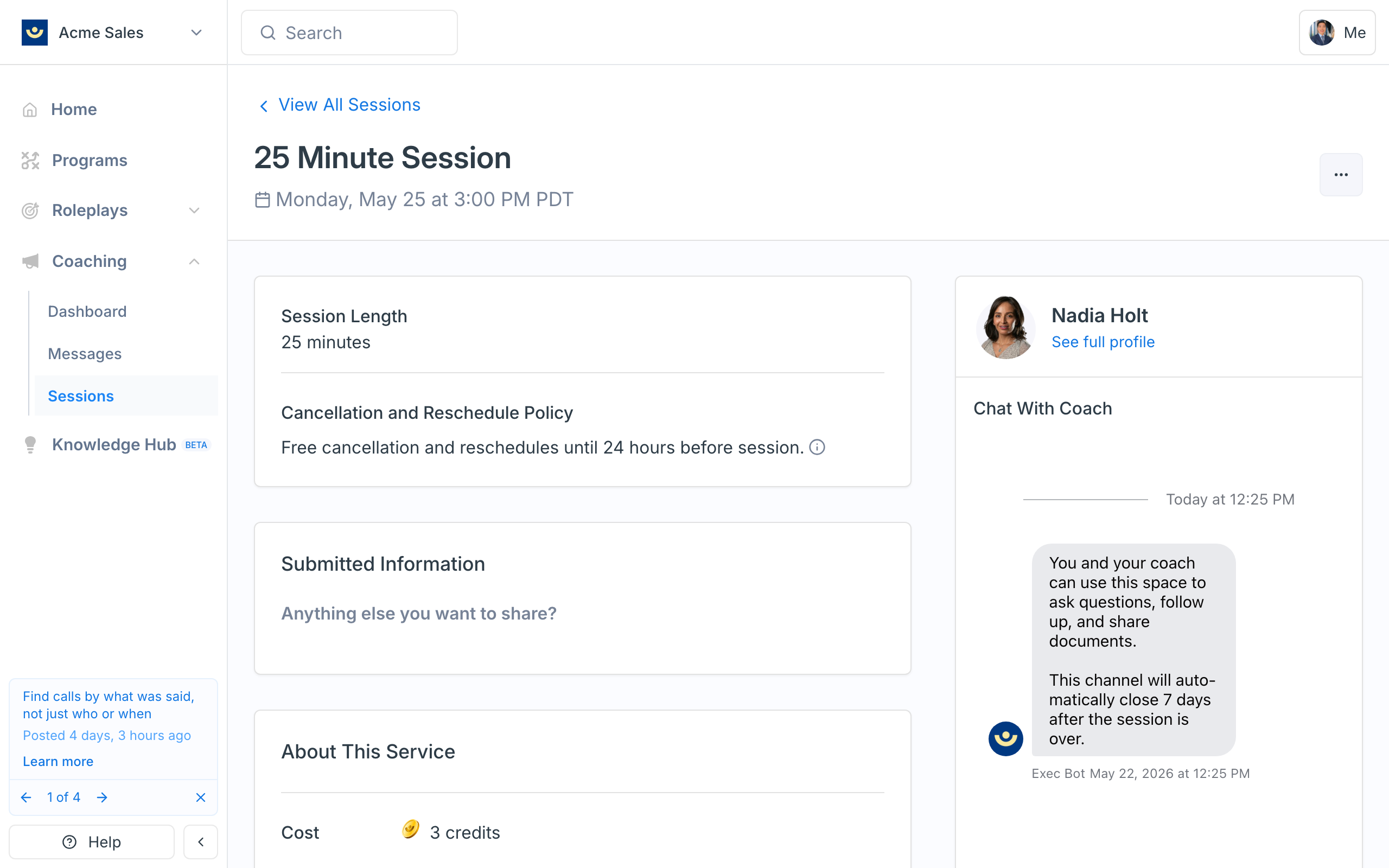
Open the three-dot menu
In the top-right of the session header, click the three-dot menu. You’ll see two options: Reschedule and Cancel.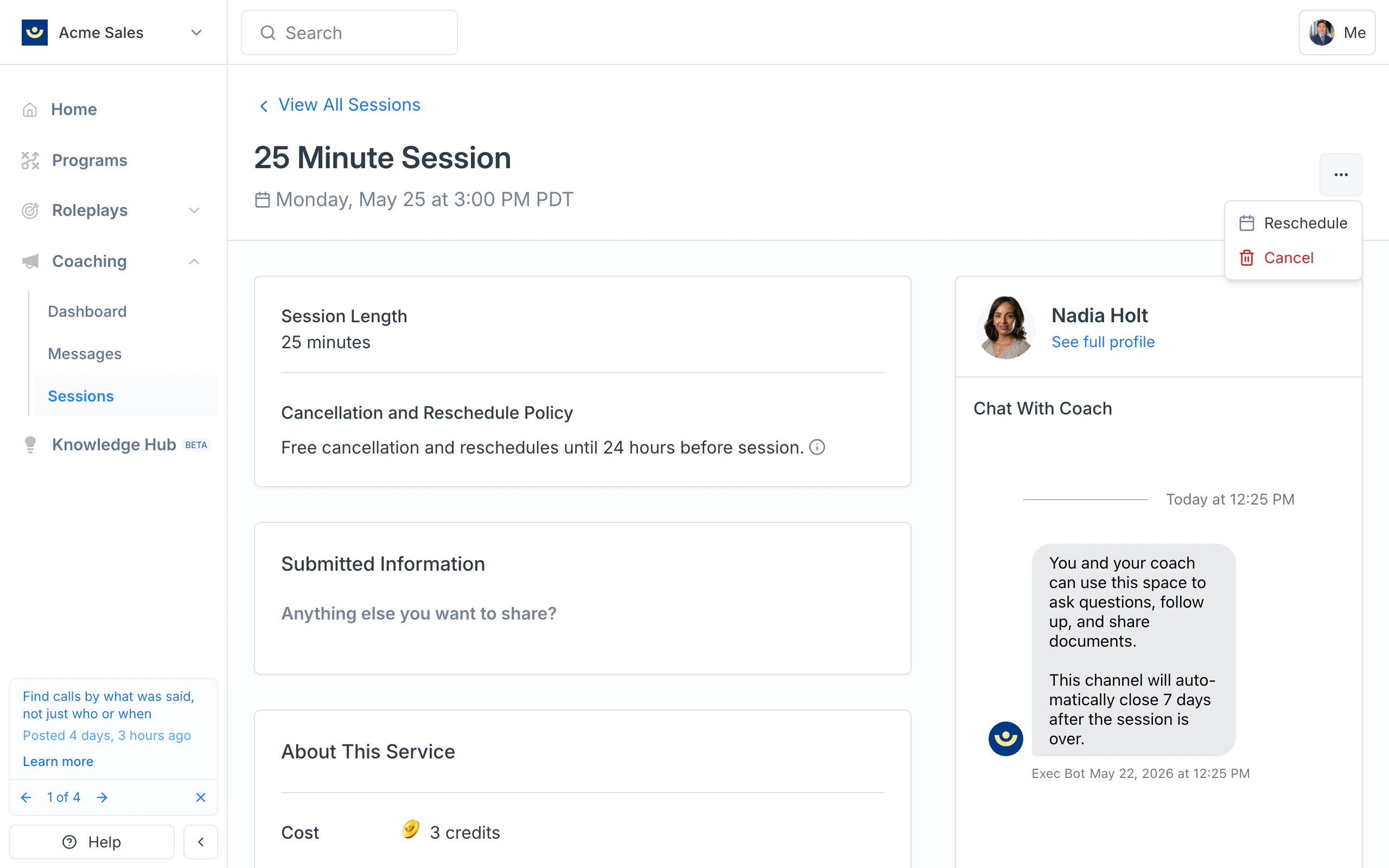
Click Cancel and confirm
A Confirm cancellation? dialog appears. It tells you whether the session is refundable and gives you an optional field to note why you’re canceling.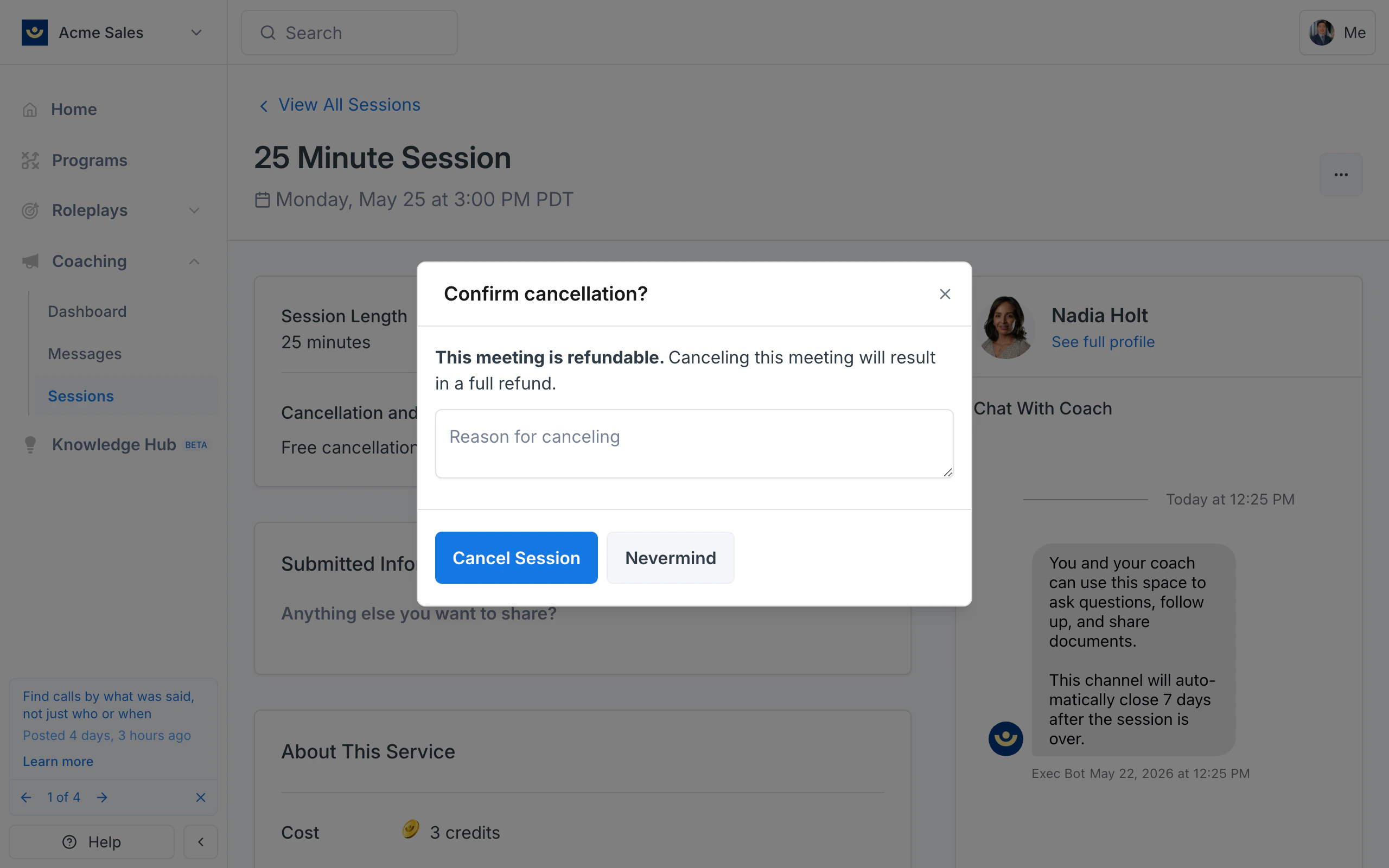
(Optional) Add a reason
If you want to share context with your coach, type a short reason in the Reason for canceling field. Your coach can read this in the session record.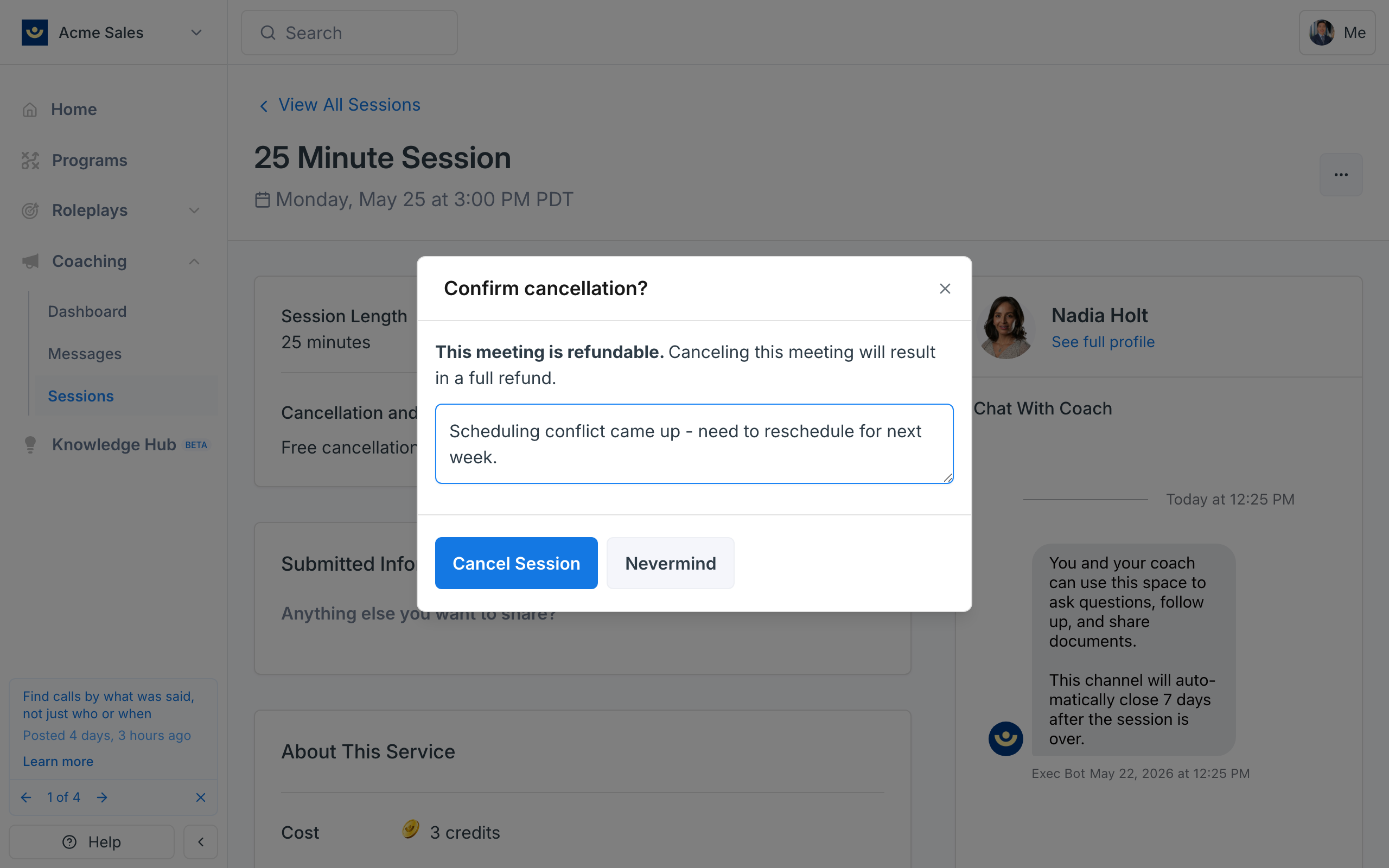
Cancellation policy
Sessions follow a 24-hour cancellation and reschedule policy: cancel at least 24 hours before the session starts and your credits are refunded automatically. The exact window is shown on the session detail page under Cancellation and Reschedule Policy.- More than 24 hours before the session - your credits are refunded automatically when you cancel.
- Less than 24 hours before the session - the session is marked non-refundable, and the dialog will say so. You can still cancel, but credits aren’t returned automatically. Reach out to your coach or to hello@exec.com if you need an exception.
What happens after you cancel
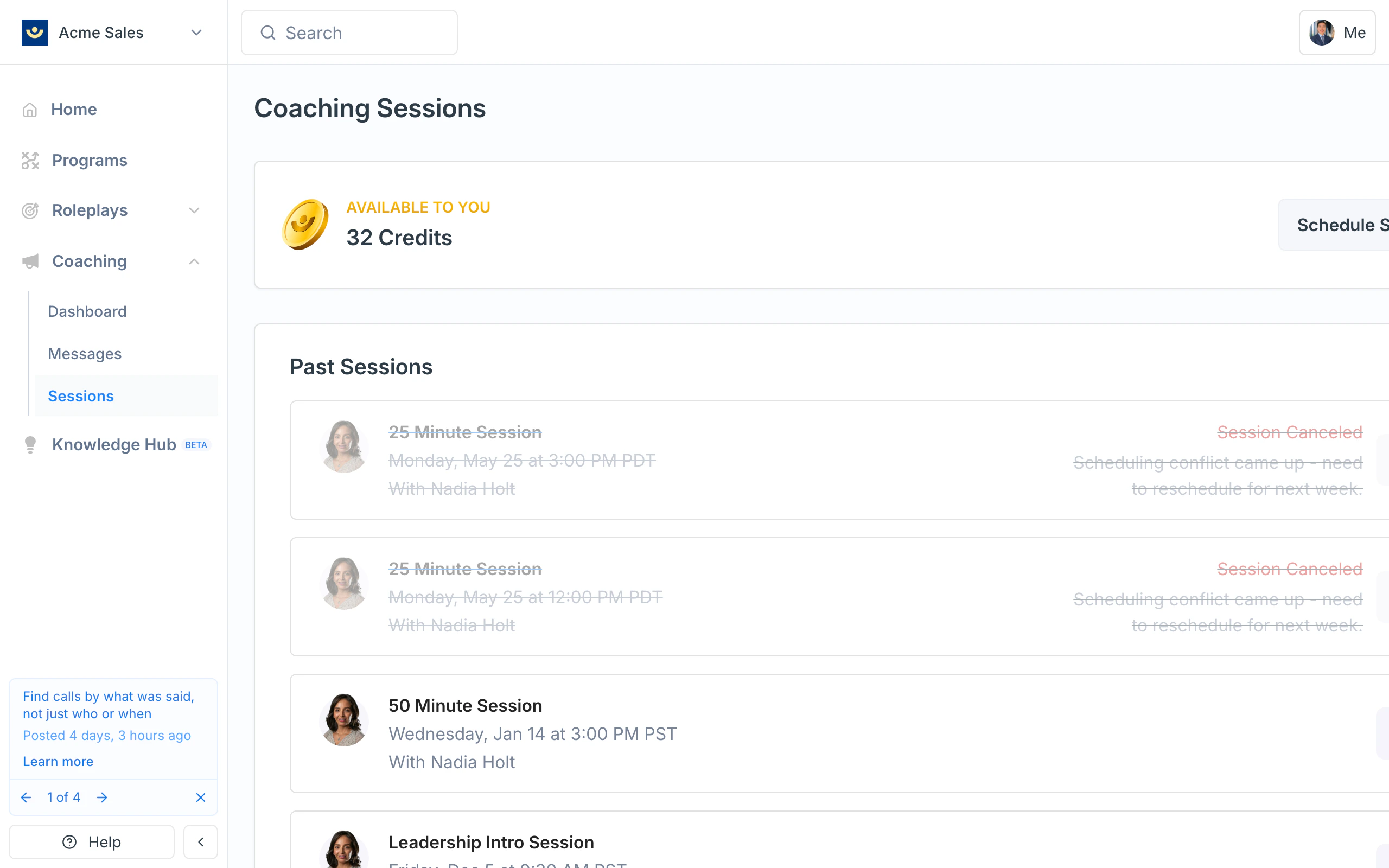
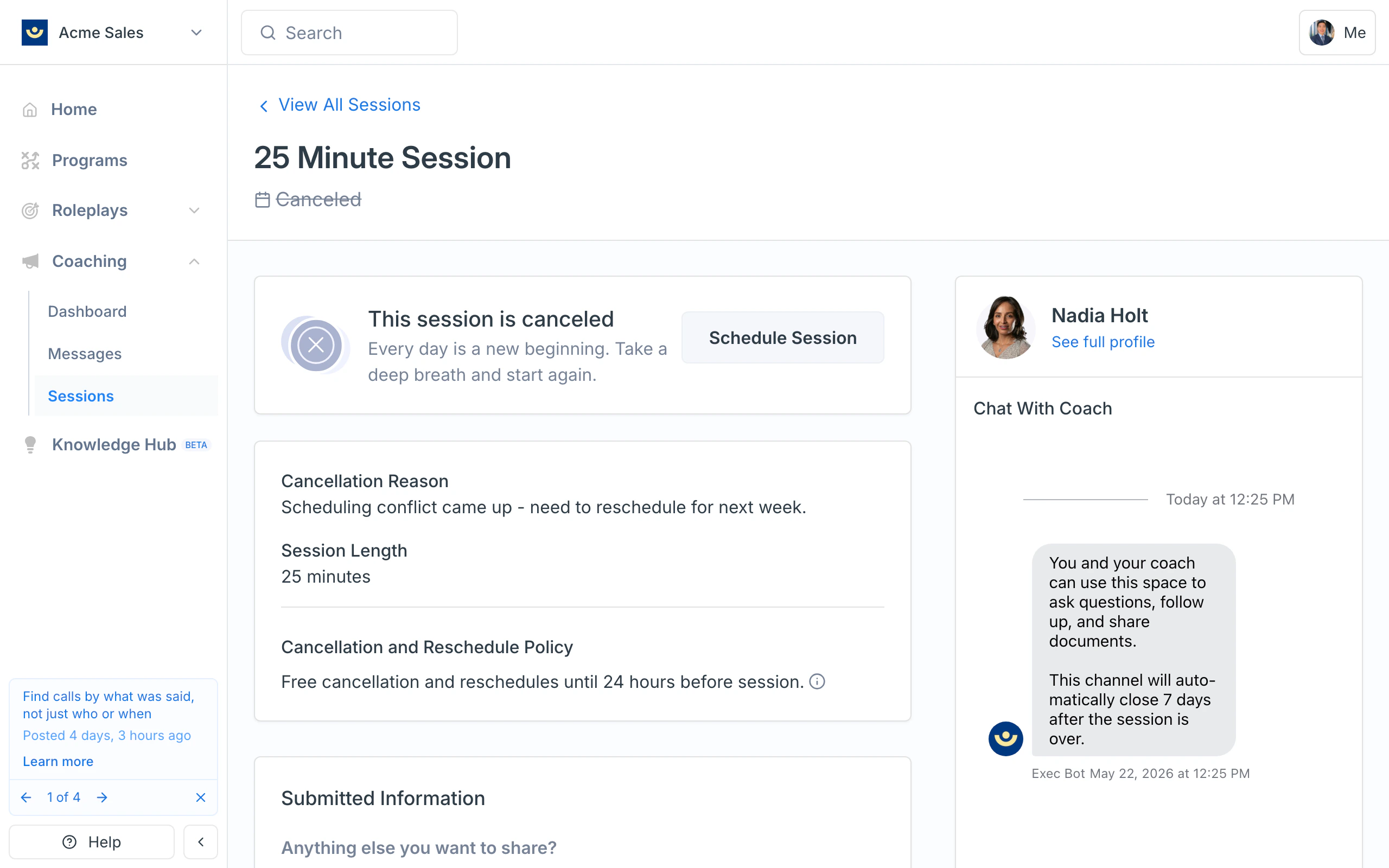
Once the cancellation goes through:- The session moves to your Past Sessions list with a Session Canceled tag and strikethrough styling.
- The session detail page shows a This session is canceled banner, your cancellation reason (if you provided one), and a Schedule Session button to book a new one with the same coach.
- Your coach is notified by email.
- If the session was refundable, your credits are returned to the account you booked from.
If your coach cancels the session
Coaches can cancel sessions from their side too - for example, if something urgent comes up on their schedule. When that happens:- You’ll get an email letting you know the session was canceled, and a cancellation reason if your coach added one.
- The session moves to your Past Sessions list with the same Session Canceled label you’d see if you canceled it yourself.
- Your credits are refunded if the session was refundable. If it was canceled less than 24 hours before the session, your coach can still choose to refund you - most do.
- You can rebook anytime by clicking Schedule Session on the canceled session, or by going to Coaching > Sessions and starting a new booking.