

How to Clone a Scenario
Open the three-dot menu
Navigate to the scenario you want to clone, click the three-dot menu in the upper-right corner, and select Clone Scenario.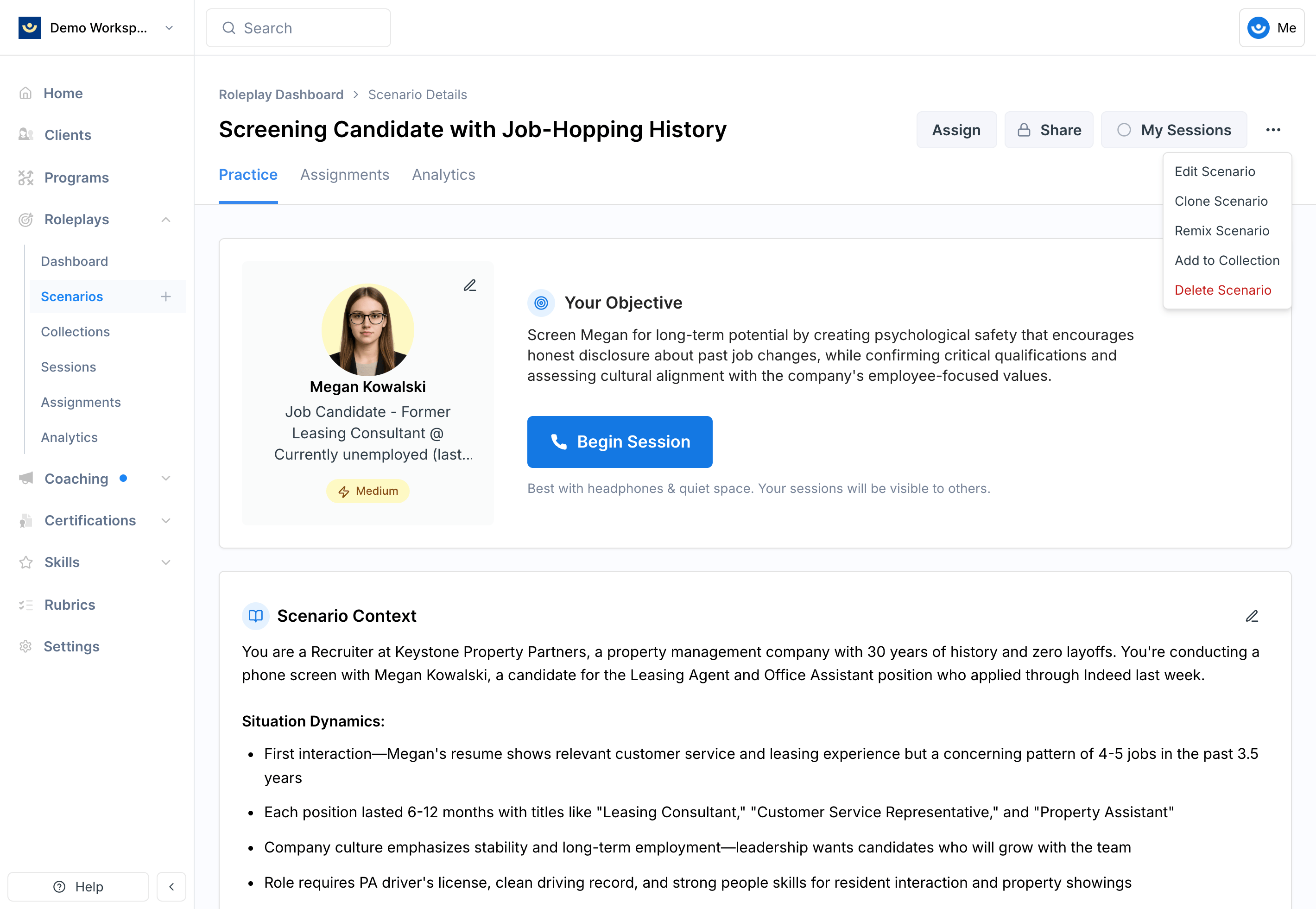
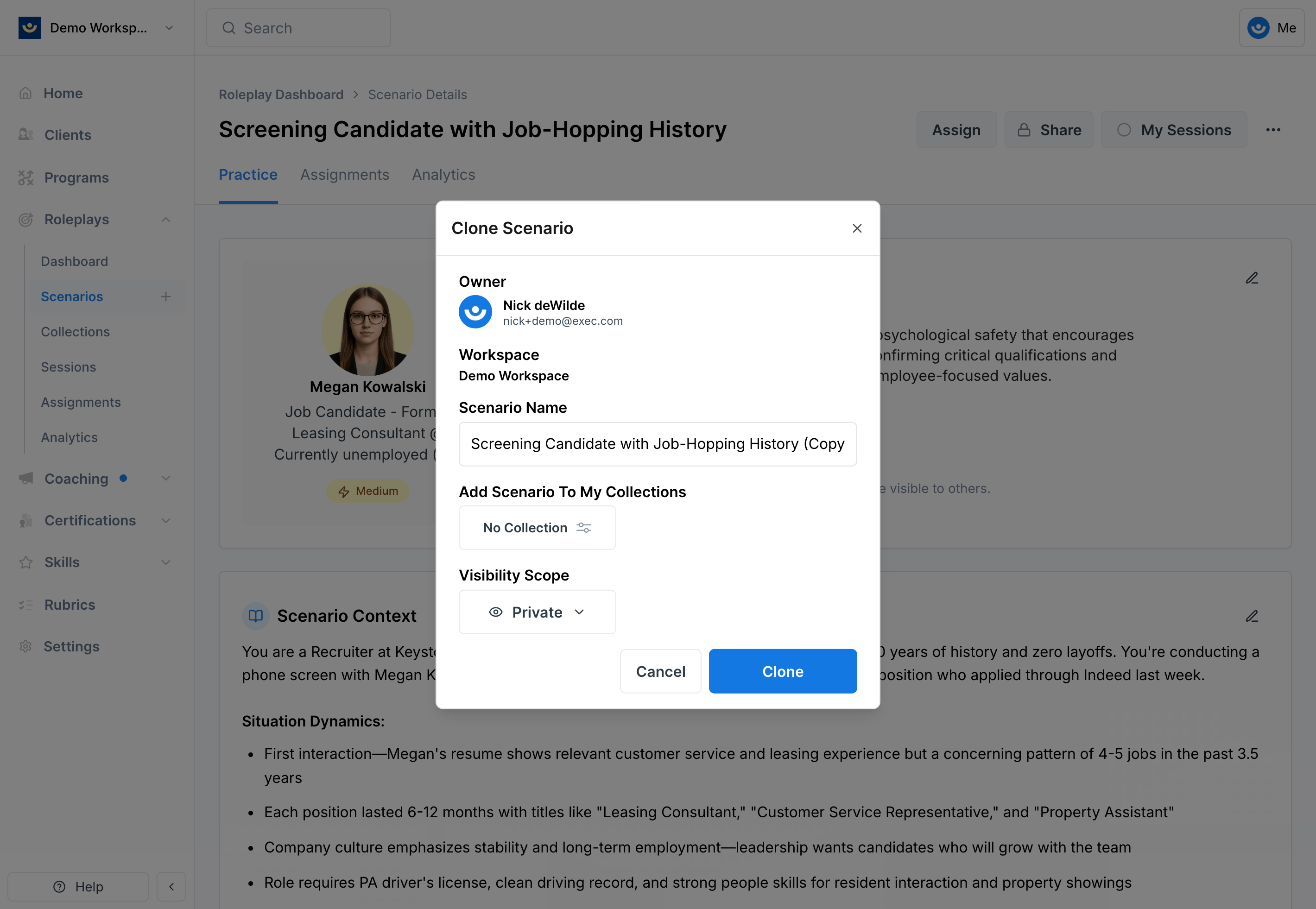
Update the details
- Rename the scenario to reflect your specific use case
- Set visibility to Private until you’ve finished editing — you can make it workspace-visible when it’s ready to share
- Optionally add it to a collection to keep related scenarios organized
Editing Your Cloned Scenario
After cloning, treat the scenario as your own. Because the clone inherits the foundation of the original, small changes go a long way:- Update the context — Add industry- or role-specific details that reflect your learners’ real environment
- Adjust the character — Change roles, titles, or backgrounds to mirror actual stakeholders your team engages with
- Refine the objectives — Tailor learning goals to align with your training program
- Customize difficulty — Make the scenario easier or harder depending on learner readiness